How to Illustrate Every Article You Publish — With Real Photos, at Scale
Why publishing teams are going back to real photography, and the exact pipeline — prompt included — that turns a finished draft into a credited hero image in about 150 milliseconds.
 Marouane Tijani
10 min read
Marouane Tijani
10 min read

Every article you publish needs a picture. Not a nice-to-have — the hero image is what the social preview shows, what the reader sees before the first sentence, and what tells them in half a second whether this page was made by someone who cared. Multiply that by four images per post and forty posts a quarter, and “find a photo” stops being a task and becomes a pipeline problem.
This is how we solve it: what to use instead of generated images and why, and the three ways to wire Pexafy into the workflow — by hand, by API, or through an AI agent — including the prompt that turns a finished draft into a search sentence that actually finds something.
Why real photos still beat generated ones
Generating an illustration is easy, and that is precisely the problem. Four things changed between “AI images are a cheat code” and today:
1 · At volume, searching is faster than generating
A generation is one prompt, a wait, an inspection, and — be honest — two or three more attempts before one is usable. A semantic search is a single request that comes back with sixteen candidates in about 150 milliseconds, each one already licensed, already credited, already sized, with its dimensions in the response. For one image the difference is a coffee. For four hundred images a quarter it is the difference between a workflow and a job.
2 · A photograph is accurate; a generation is plausible
The moment your article is about something real — a profession, a piece of equipment, a city, a gesture, a material — a generated image gets the vibe right and the details wrong. Six-fingered hands are the joke version; the expensive version is a surgical instrument that does not exist, a cockpit with invented controls, or a “Lisbon street” no one from Lisbon recognises. Readers who know your subject notice, and they notice the picture first.
3 · Everyone has the same look
Diffusion models converge on a house style, and a wall of soft-gradient, over-lit, suspiciously symmetrical illustrations now reads as filler. That perception is the actual cost: not a penalty, a signal. A real photograph — grain, an awkward chair, someone mid-sentence — reads as reporting.
4 · And now they arrive with a label attached
This one is context rather than an argument, but it is the direction of travel. Since 2 August 2026, Article 50 of the EU AI Act requires providers of generative systems to mark synthetic outputs in a machine-readable format, and deployers to disclose deepfakes.1 On the detection side, Google reads C2PA Content Credentials and its own SynthID watermark to answer “is this AI-generated?” inside Search, Images and Lens.2 Nothing there is a rule about which images a blog may publish, and nothing there costs you rankings. What changed is downstream: the provenance of the picture at the top of your article is now something a reader can check in two clicks, without asking you. A licensed photograph has nothing to declare.
When generated images are the right call. Concept diagrams and schematics. A scene that cannot be photographed (a product that does not exist yet, an abstract mechanism, a future city). A house illustration style you own and want repeated on every post. And anything where the picture is deliberately understood as an illustration rather than as evidence. Use both — just stop using generation as the default for “I need a photo of people in a meeting.”
Three ways to illustrate, depending on your volume
Same engine, same catalogue — 9M+ free-to-use photos from 9 libraries — and three entry points. Pick by how many articles you publish, not by how technical you are.
| Entry point | Best forwho and how much | Per article | What you need |
|---|---|---|---|
| Search UI | Editors, one post at a time — up to ~20/month | ~30 seconds | A browser. No account needed to search. |
| REST API | A CMS, a static-site build, a batch of drafts | ~1 request, ~150 ms | An API key. 5,000 req/month free, 20/min. |
| MCP server | The AI agent that writes or edits the draft | Inside the same conversation | One connector URL, OAuth or a key. |
The three share one catalogue and one ranking, so a photo found by an editor in the UI is the same photo, with the same identifier, that the API returns to your build script.
One article, 30 seconds: the search UI
Describe the scene the way you would describe it to a photographer, in a full sentence, in your
own language. Not team meeting —
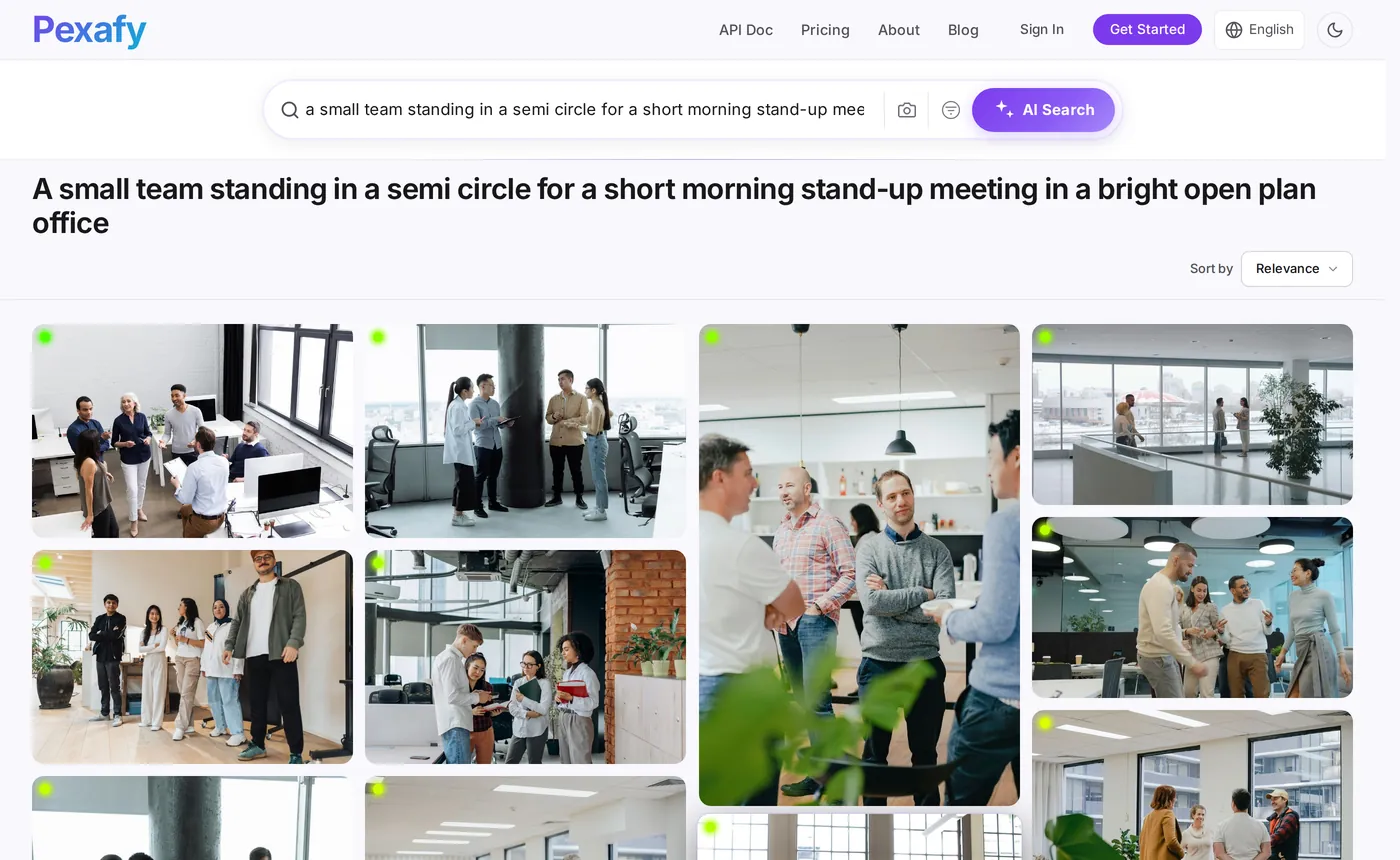
“a small team standing in a semi circle for a short morning stand-up meeting in a bright
open plan office”. Every extra concrete detail narrows the result set instead of emptying it,
because the engine ranks by meaning rather than by matching your words against someone's tags.
Then narrow it with the filters that matter for an article layout — and only those:

- Write the sentence, not the keyword. Subject + action + place + light. Up to 500 characters, in any of 100+ languages.
- Filter to landscape for the hero, then re-run without the filter for in-article images, where portrait often reads better.
- Open the photo to get the ready-made attribution line, the original source page and the full-resolution file.
- Use “similar photos” on the one you picked to illustrate the next section in the same visual register — same light, same treatment, different scene.
The prompt: turn a draft into a search sentence
This is the step everyone gets wrong when they automate. They feed the article title straight into the search box, and the title is exactly the wrong input: it is abstract (“The hidden cost of context switching”) and no photograph on earth depicts it. What you want from the model is not a summary — it is a camera brief.
# system prompt
You are a photo editor. Read the article and write ONE search sentence
for a stock-photo engine that ranks by meaning, not by keywords.

Rules:
1. Describe a scene a camera could have taken: someone doing
   something, somewhere. Never name the topic itself ("fintech",
   "productivity", "SEO") — name what would be in the frame.
2. 12 to 25 words. Longer beats shorter: every concrete detail
   (light, place, gesture, time of day) sharpens the match.
3. No text, logos, brands, charts, screenshots or famous people.
   Free photo libraries have almost none of those.
4. No invisible metaphors ("growth", "synergy", "transformation").
5. Match the mood of the article: calm, tense, tired, celebratory.
6. Write the sentence in English even if the article is not.

Return JSON only:
{ "query": "…", "orientation": "landscape", "alt": "…" }
Rule 1 does most of the work. Here is the same rule on three real drafts — the middle column is what a human types when they are in a hurry, the right column is what the prompt returns:
| The article is about… | The rushed query | The camera brief |
|---|---|---|
| Why your daily stand-up is broken | team meeting |
“a small team standing in a semi circle for a short morning stand-up meeting in a bright open plan office” |
| Cutting onboarding from 6 weeks to 9 days | onboarding |
“a new employee on their first day at a desk, listening while a colleague leans in and points at their screen” |
| The hidden cost of context switching | productivity |
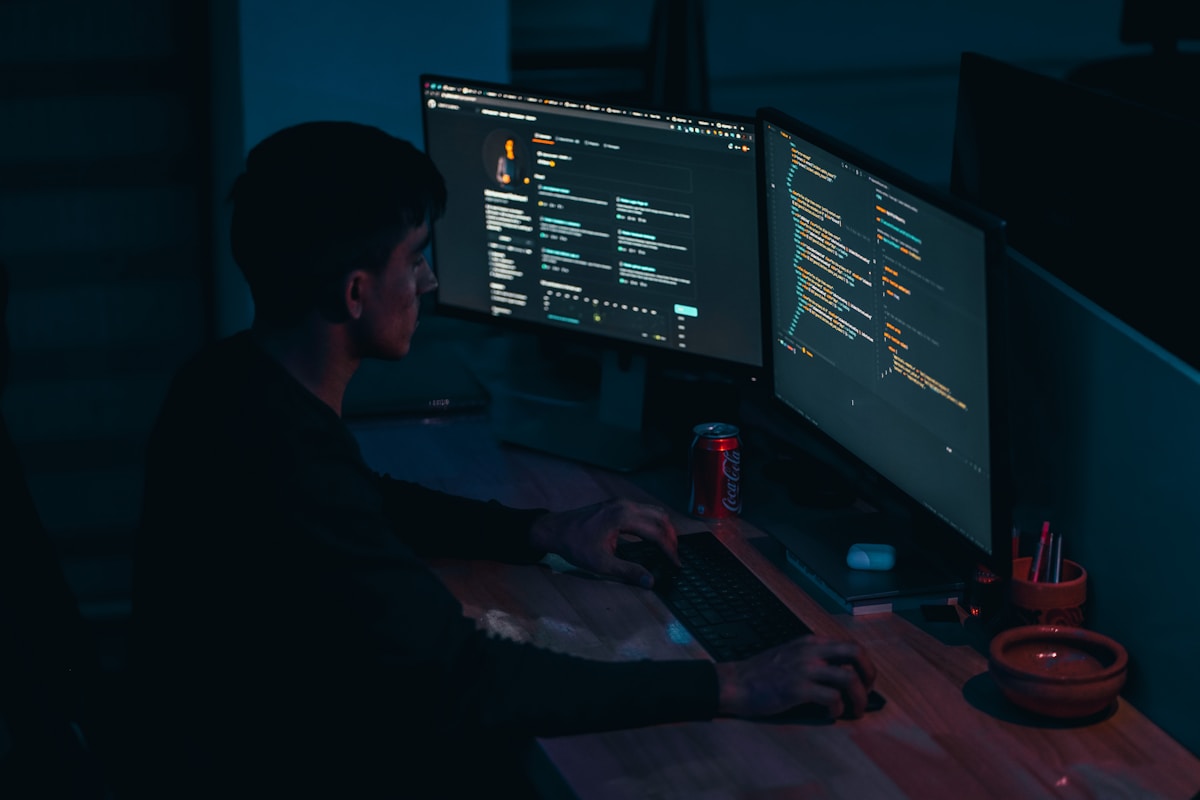
“a tired developer rubbing their eyes in front of two monitors late in the evening, the office empty behind them” |
team meeting returns the generic conference-room stock everyone else on your topic
is already using. The sentence in the third column returns this, in 155 milliseconds:




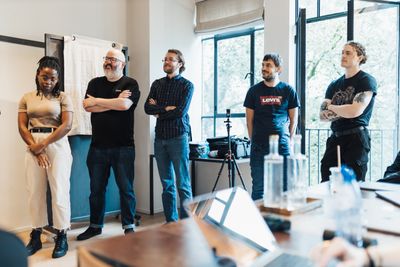
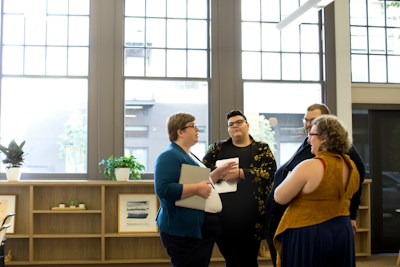
team meeting never guarantees.
The pipeline: draft in, credited hero image out
Forty lines, two calls: one to the model for the brief, one to Pexafy for the photo. Drop it in your CMS save hook, your static-site build, or a script that walks a folder of Markdown files.
import json, os, requests
from anthropic import Anthropic

SEARCH = "https://api.pexafy.com/api/v1/search/photos"
llm = Anthropic()  # ANTHROPIC_API_KEY from the environment

def camera_brief(article: str) -> dict:
    # PHOTO_EDITOR = the system prompt above
    msg = llm.messages.create(
        model="claude-sonnet-5",
        max_tokens=300,
        system=PHOTO_EDITOR,
        messages=[{ "role": "user", "content": article[:12000] }],
    )
    return json.loads(msg.content[0].text)

def illustrate(article: str) -> dict | None:
    brief = camera_brief(article)
    r = requests.get(
        SEARCH,
        headers={"X-Api-Key": os.environ["PEXAFY_API_KEY"]},
        params={
            "q": brief["query"],           # the full sentence
            "orientation": brief["orientation"],
            "per_page": 8,
            "score_threshold": 0.55,      # drop weak matches
        },
        timeout=10,
    )
    hits = r.json()["data"]
    if not hits:                        # brief too narrow → widen, retry
        return None

    top = hits[0]
    return {
        "src":    top["urls"]["regular"],        # 1080px — hero size
        "alt":    brief["alt"] or top["alt_description"],
        "credit": top["attribution"]["html"],   # ready to render
        "width":  top["width"],
        "height": top["height"],
        "id":     top["photo_id"],           # store it: no repeats
    }
Three details that turn a demo into something you can leave running:
score_threshold— returning nothing is better than returning a bad photo. If the brief was too specific, widen it (drop the last clause) and retry once.- Store the
photo_id— one line in your database, and no two articles on your site ever share a hero image. This is the failure everyone hits at post number thirty. - One request per image slot — a hero plus three section images is four requests per article, or one if you take four different results from the same search.
No Python? The whole search half is one line, and every result carries the same fields whatever library it came from:
curl -sG "https://api.pexafy.com/api/v1/search/photos" \
  -H "X-Api-Key: $PEXAFY_API_KEY" \
  --data-urlencode "q=a tired developer rubbing their eyes at two monitors" \
  --data-urlencode "orientation=landscape" \
  --data-urlencode "per_page=6"

# → { "success": true, "data": [ … ], "meta": { "took_ms": 147 } }
The response shape — urls, width, photographer_full_name,
source, license_type, relevance_score,
attribution — is identical for a Pexels photo, a Pixabay photo and an Unsplash
photo. That normalisation is the part you would otherwise write and maintain yourself; we took
it apart field by field in
the free stock photo API comparison.
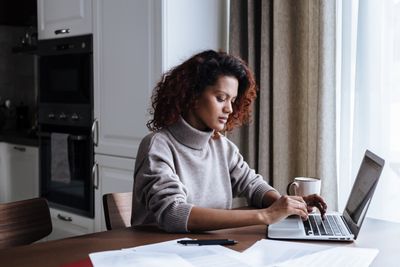
Second section, second brief, second search — the point being that one article yields several distinct scenes instead of one photo stretched four times:


Let the agent pick the picture: MCP
If a model is already writing or editing the draft, the cleanest pipeline is no pipeline: give the agent the search tool and let it illustrate what it just wrote, in the same conversation, while it still has the context.
Pexafy runs a hosted Model Context Protocol server at
mcp.pexafy.com/mcp. Three tools:
search_photos (a sentence),
search_photos_by_image (a reference image, optionally plus a sentence — “like this,
but at sunset”), and get_similar_photos (more like the one you already chose, which is
how you keep a series coherent).
Settings → Connectors → Add custom connector
Name: Pexafy
URL:  https://mcp.pexafy.com/mcp
# then sign in with your Pexafy account when the window opens
claude mcp add --transport http pexafy https://mcp.pexafy.com/mcp \
  --header "Authorization: Bearer $PEXAFY_API_KEY"

# or commit it to the repo, so the whole team gets it — .mcp.json
{
  "mcpServers": {
    "pexafy": {
      "type": "http",
      "url": "https://mcp.pexafy.com/mcp",
      "headers": { "Authorization": "Bearer YOUR_API_KEY" }
    }
  }
}
From there, illustrating an article is a sentence, not a task. The agent writes its own camera brief — it has just read the draft, so it is better placed than anyone to describe the scene:
You  Here's the draft of this week's post. Find a landscape hero
     and one photo for section 2, and give me the credit lines.

Claude  → search_photos(
       q="a small team standing in a semi circle for a short morning
          stand-up meeting in a bright open plan office",
       orientation="landscape")
     ← 16 photos · 155 ms

     Hero    → Photo by Thirdman on Pexels · 6453×4302 · score 0.80
     Section → Photo by Marcus Aurelius on Pexels · 6000×4000
     Both licence-free, attribution lines below, ready to paste.
Unsplash, Pexels, Pixabay and Openverse have no official MCP server — what exists are community wrappers you host and key yourself. If your editorial workflow already runs through an agent, that difference is the integration.
Alt text, licence and page speed
The picture is chosen. Four things decide whether it helps the page or quietly hurts it:
-
Write the alt text for a person, not for a crawler. Every result ships an
alt_description— use it as a draft, then rewrite it in the context of your paragraph. “Four colleagues standing in a morning meeting” beats a keyword salad, and it is the text a screen reader will actually read out. Keep it under ~125 characters; leave it empty (alt="") only if the image is purely decorative. -
Ship the credit even when nothing forces you to. Attribution is not required
by the Pexafy API terms and every result carries a ready-made
attribution.htmlstring — but the licence attached by the original library still governs your use of that photo, and a visible credit line is what tells a reader (and an answer engine) that this is a real photograph with a real author. -
Serve the right size.
urls.regular(1080 px) is a hero;urls.fullis a 2400 px file no article needs. Always emitwidth/heightfrom the response so the browser reserves the space — that single attribute pair is the difference between a good and a bad layout-shift score. Usefetchpriority="high"on the hero,loading="lazy"on everything below the fold. -
Feed the hero to your metadata. The same URL should be your
og:image, yourtwitter:imageand theimageproperty of yourArticlestructured data. One photo, three places, zero extra work — and a social preview that no longer falls back to your logo.
What 100 articles a month actually costs
Assume a hero plus three in-article images, so four search requests per post — the deliberately wasteful version, where you run a separate query per slot instead of reusing results from one:
| Volume | Search requests / month | Plan | Search cost |
|---|---|---|---|
| 20 articles | 80 | Free — 5,000 req/month | $0 |
| 100 articles | 400 | Free — 5,000 req/month | $0 |
| 1,000 articlesan agency, or a whole client portfolio | 4,000 | Free — still inside 5,000 req/month | $0 |
Yes — the monthly quota is a non-issue at content-marketing volumes, and we would rather say so
than invent a reason for you to pay. The limit you will actually meet is the per-minute
one. The free plan allows 20 API requests per minute; a build script that re-illustrates
100 articles in one pass fires 400 requests as fast as your loop allows, so it either spends
twenty minutes being throttled or starts collecting 429s. Two ways out: space the
calls (one sleep in the loop, and a nightly job never notices), or move to a plan
whose rate limit matches your build — Starter is 30 requests/minute, Pro 60. Pick by
burst, not by volume.
The only other line is one short model call per article to produce the brief — a few hundred tokens in, thirty out, which will be the cheapest item in any content pipeline you own. Compare that with generating four images per post, at four hundred images a month, plus the attempts that did not make the cut.
And the part that does not show up in a cost table: the editor stops opening five tabs. That is the actual saving.
References & footnotes
1 EU AI Act, Article 50 — transparency obligations for providers and deployers of certain AI systems, applicable from 2 August 2026. Providers of systems generating synthetic audio, image, video or text must mark outputs in a machine-readable format and make them detectable as artificially generated; deployers must disclose deepfakes and, in defined cases, AI-generated text published to inform the public. The Digital Omnibus (Regulation (EU) 2026/1744, in force since 27 July 2026) leaves Article 50 itself unamended, but gives systems already on the market before 2 August 2026 until 2 December 2026 to meet the machine-readable marking requirement of Article 50(2). All of this binds AI providers and deployers — it is not a rule about which images a blog may publish.
2 Google reads C2PA Content Credentials and its own SynthID watermark to surface provenance in About this image across Search, Images and Lens. This is media provenance, not a ranking penalty on AI-generated content.
Sources checked on 15 August 2026: AI Act Article 50 · European Commission — transparency FAQ · Google — image metadata · Pexafy API & MCP docs. Search timings and results are real responses from the public API, captured the same day.
Frequently asked questions
Should I use AI-generated images or real photos for blog articles?
How do I automatically find an image that matches my article?
GET /api/v1/search/photos?q=…, roughly 150 ms, and every result comes back with its size, licence and a ready-made attribution string.What is the best prompt to turn an article into an image search query?
Do I have to credit the photos I use in blog posts?
Can Claude or another AI agent find the photos for my article?
mcp.pexafy.com/mcp. Add it as a custom connector in Claude.ai or Claude Desktop and sign in with OAuth, or add it to Claude Code with one claude mcp add command and an API key. The agent then searches by sentence, by reference image or for similar photos itself, while it still has your draft in context.How do I stop every article on my blog using the same photo?
photo_id of every image you publish and exclude it on the next run — one column in your CMS. It is the failure mode every automated pipeline hits around post number thirty, and it is invisible until someone scrolls your blog index. Writing a fresh camera brief per section, rather than reusing the article title, does the rest.