Text Is the Easy Part: the Pipeline That Illustrates AI-Written Articles
Generating the text is solved. Illustrating it is not. The end-to-end pipeline — router prompt, photo search, Mermaid diagrams, verified charts, and the alt text, credit and ImageObject markup that turn it into SEO.
 Marouane Tijani
13 min read
Marouane Tijani
13 min read

You are a developer with a content target: dozens of articles a month, maybe hundreds. The writing model handles the draft, the outline, the meta description, the internal links. Then the pipeline hits the one step that has no model of its own — the images — and stops. Not because pictures are hard to obtain, but because nothing in the stack knows which picture, from where, with what licence, described how.
This article is that missing step, wired end to end: which kind of visual to produce for which kind of section, the prompt that turns a finished draft into search briefs, the API call that returns the photos, the second model that draws what a photograph cannot, and the assembler that emits markup Google can actually read. Two complete workflows at the end, ready to steal.
Text is solved. Illustration is where it stalls.
Run the honest audit of an automated article pipeline. Outline: solved. Draft: solved. Title, meta description, schema, internal links, translation: solved, all by the same model, all in text. Then:
| Pipeline step | Status | What actually blocks |
|---|---|---|
| Outline & draft | Solved | One model call, one prompt |
| Titles, meta, schema, links | Solved | Text in, text out |
| Hero image | Blocked | Needs a real file, a licence, dimensions and alt text — none of which a text model can produce |
| Section images | Blocked | Three to five per article, each different, none repeating across the site |
| Charts & diagrams | Blocked | Must be accurate — the one visual a search cannot return and a generator must not invent |
The failure is not aesthetic, it is structural: the article ships with a stock placeholder, or
with the same photo as the last twelve, or with a generated image whose six-fingered hand is the
first thing a reader sees. And the picture is not decoration — Google's own image documentation
puts it plainly: alt text “is the most important attribute when it comes to providing metadata
for an image”, and the guidance is to use real <img> elements with
descriptive alt rather than CSS backgrounds, so the image can be found and
understood at all.1
Four kinds of visual, four kinds of model
The single biggest design mistake is treating “the image” as one problem with one provider. It is four, and the router between them is a line of prompt, not a service:
| The section needs… | Produce it with | Why not the others |
|---|---|---|
| A scene from the real worldhero, human situations, places, objects, gestures | Semantic photo search (Pexafy) | A generator invents the details; a chart has nothing to plot |
| Numbers you actually havebenchmarks, pricing, survey results, latency | A model writing plotting code, run in a sandbox | An image model cannot be trusted with a value; a photo cannot carry data |
| A structure or a flowarchitecture, sequence, state machine | A model writing Mermaid / Graphviz, rendered deterministically | Free photo libraries have no diagram of your system |
| Your product on screendocs, changelog, tutorials | A scripted browser screenshot (Playwright) | Nothing else can show a UI that only exists in your build |
And generated illustration? It keeps one honest slot: the scene that cannot be photographed and is not data — an abstract mechanism, a product that does not exist yet, a house illustration style you own. (The full argument for real photography over generation — speed at volume, accuracy, the sameness problem — is made here.) Price in the direction of travel: since 2 August 2026, Article 50 of the EU AI Act requires providers of generative systems to mark synthetic outputs in a machine-readable format.2 That is an obligation on AI providers and deployers, not a rule about what a blog may publish — but it is why the provenance of the image at the top of your article is increasingly something a reader can check rather than take on trust.
The pipeline, end to end
Five stages. Only stage 3 touches an image API, and only stage 4 is optional:
┌─ 1. WRITE ────────────────────────────────────────────────────┐
   topic ──▶ LLM ──▶ draft.md  (h2 sections, front-matter)
└───────────────────────────────┬───────────────────────────────┘
┌─ 2. BRIEF ────────────────────┴───────────────────────────────┐
   draft.md ──▶ LLM ──▶ { hero: {...}, sections: [ {...} ] }
                     one JSON object: per slot, a kind +
                     either a camera brief or a data/diagram spec
└──────────┬──────────────────────────────────┬─────────────────┘
           │ kind = "photo"                │ kind = "chart" | "diagram"
           ▼                               ▼
┌─ 3. SEARCH ───────────────┐   ┌─ 4. DRAW (optional) ─────────┐
   GET /search/photos          LLM ──▶ mermaid | plotting code
   ← credited photo +           ──▶ sandbox ──▶ .svg / .png
     w/h, blur_hash, alt,       (deterministic render, no
     licence, source URL         invented numbers)
└──────────┬────────────────┘   └──────────────┬───────────────┘
           └───────────────┬──────────────────┘
┌─ 5. ASSEMBLE ─────────────┴───────────────────────────────────┐
   <img> with width/height + fetchpriority | loading
   alt written for a human · visible credit · ImageObject JSON-LD
   photo_id stored so no two pages share a hero
└───────────────────────────────────────────────────────────────┘
Two properties matter more than the diagram. Stage 2 is a router: it decides per slot which producer runs, so you never ask a photo library for a bar chart. And stage 5 is where the SEO is — everything Google documents about images (descriptive alt, licence metadata, an LCP-safe hero) is emitted here, from fields the search response already carried.
Stage 2: turn the draft into visual briefs
One model call on the finished draft, and what it returns is a plan rather than a query. How to write a single photo brief — why the article title is the worst possible input, what a 12-to-25-word camera brief looks like, and the ways it fails — is set out in full in the guide to illustrating one article, and is not repeated here. What a pipeline adds is routing: the same call has to decide, slot by slot, which producer runs — and a chart entry carries data where a photo entry carries a scene.
# system prompt — run once per finished draft
You are the art director of a technical publication. Read the article and
return the visual plan: one entry for the hero, one per H2 section.

For each entry choose exactly one kind:
  "photo"    a real scene: someone doing something somewhere, a place,
              an object, a gesture. The default for heroes.
  "chart"    the section states numbers that are IN the article. Never
              invent values: copy them into data, verbatim.
  "diagram"  the section describes a structure, a flow or a sequence.
  "none"     the section is short, or already carries a code block.

Rules for "photo" entries — the field is query:
   Write a camera brief: a scene a camera could have taken, 12 to 25 words,
   in English, matching the mood of the section. Name what is in the frame,
   never the topic. No text, logos, brands or famous people; no invisible
   metaphors. (Full rules, with examples and failure cases:
   pexafy.com/blog/illustrate-blog-articles-at-scale/)

Do NOT write the alt text of a photo entry: the picture you get back is the
closest match to the brief, not the scene you described, so its alt has to be
written from the chosen photo. Chart and diagram entries DO carry an alt —
there you control exactly what is rendered.

Return JSON only:
{
  "hero": { "kind": "photo", "query": "…", "orientation": "landscape" },
  "sections": [
    { "h2": "…", "kind": "photo",   "query": "…" },
    { "h2": "…", "kind": "chart",   "title": "…", "unit": "ms",
      "data": [ {"label": "…", "value": 0} ], "alt": "…" },
    { "h2": "…", "kind": "diagram", "spec": "flowchart LR; …", "alt": "…" }
  ]
}
The kind line does most of the work, and the data instruction does the
rest: a chart entry may only carry numbers that already appear in the draft, so the model
transcribes rather than invents. Here is the router on three real sections of a developer
article:
| Section | kind | What the router returned |
|---|---|---|
| Hero — “Why our nightly build takes 40 minutes” | photo |
“a developer working late at a desk with two monitors and a mechanical keyboard in a dark room lit by the screens” |
| “Where the time actually goes” | chart |
data copied from the paragraph: install 480 s, compile 1080 s, test 720 s, upload 120 s |
| “How we split the graph” | diagram |
flowchart LR of the job dependency graph |
| “What we changed, and what we'd do again” | photo |
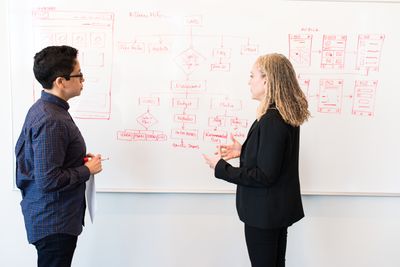
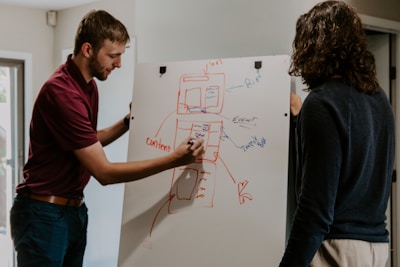
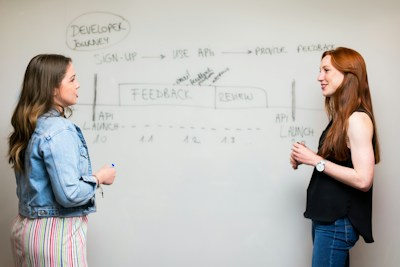
“two engineers standing at a whiteboard covered in diagrams working through a problem together” |
Stage 3: the photos come back credited
Every kind: "photo" entry is one request. The hero brief above, run against the
public API, returns this in 147 ms:



The last section brief, a completely different scene, in 144 ms:
What comes back per photo is the part that makes stage 5 possible — not just a file:
{
  "photo_id":  "019e1c7f-0063-759e-b498-33ce1714e6c9",   // store it: no repeats
  "urls": { "small": "…?w=400", "regular": "…?w=1080",
             "large": "…?w=1920" },
  "width": 3000, "height": 1688,          // → no layout shift
  "blur_hash": "LJ8gjv9rVq-6OFxanNNFI7xco$Na",   // → real placeholder
  "alt_description": "Person types on keyboard in front of dual monitors…",
  "photographer_full_name": "Jakub Żerdzicki",   // → ImageObject.creator
  "source": "Unsplash", "license_type": "free",
  "source_image_url": "https://unsplash.com/photos/…",
  "attribution": { "html": "<span…>Photo by …</span>",
                    "plain": "Photo by Jakub Żerdzicki on Unsplash (…)" }
}
Stage 4: what a photograph cannot say
Two slots in the plan are not searchable, and this is exactly where a second model earns its place — not to draw a picture, but to write code that draws it. The distinction matters: code is reviewable, deterministic and cannot hallucinate a bar height.
Diagrams: text in, SVG out
Mermaid renders diagrams from a plain-text definition,3 which makes it the safest target for a model: the output is inspectable, diffable in git, and renders the same way every time. The router already returned the spec.
# the "spec" field of a diagram entry, written to build/graph.mmd
cat build/graph.mmd
flowchart LR
  install["install deps · 480s"] --> compile["compile · 1080s"]
  compile --> test["test suite · 720s"]
  compile --> upload["upload artifacts · 120s"]

npx -y @mermaid-js/mermaid-cli -i build/graph.mmd -o static/img/graph.svg
# → an SVG you can review in the PR, not a picture you have to trust
Charts: only numbers the article already contains
Same principle, one extra guard. The router copied the values out of the draft; the model writes the plotting code; the code runs in a sandbox; the assembler re-checks the rendered values against the source numbers before the chart is allowed near a page.
import re, matplotlib
matplotlib.use("Agg")                # headless: no display in CI
import matplotlib.pyplot as plt

def assert_in_draft(value, draft: str) -> None:
    """A plotted number must appear in the article AS A NUMBER."""
    # Substring matching is the trap here: "120" is inside "1200", and
    # inside "?w=1200" — a naive `str(v) in draft` passes on anything.
    # Match on word boundaries, and accept 1 234 / 1,234 / 1234.
    body = re.sub(r"(?<=\d)[  ,](?=\d{3}\b)", "", draft)   # strip separators
    if not re.search(rf"(?<![\d.]){re.escape(str(value))}(?![\d.])", body):
        raise ValueError(f"{value} is not stated in the article — refusing to plot")

def render_chart(entry: dict, draft: str, out: str) -> str:
    labels = [d["label"] for d in entry["data"]]
    values = [d["value"] for d in entry["data"]]
    for v in values:
        assert_in_draft(v, draft)       # hallucinated value → no chart

    fig, ax = plt.subplots(figsize=(8, 4.5), dpi=160)
    ax.barh(labels, values)
    ax.set_xlabel(entry["unit"])
    ax.set_title(entry["title"])
    fig.tight_layout()
    fig.savefig(out)                    # deterministic, reviewable artefact
    return out
The guard is short, but write it carefully: a substring check does not work.
"120" in draft is true for an article that contains 1200 or
?w=1200, so the naive version passes on everything and protects nothing. Anchor on
digit boundaries, normalise thousand separators, and the class of error that gets a technical
article taken apart in the comments — a chart contradicting its own paragraph — cannot reach
production. Screenshots follow the same principle: a scripted page.screenshot()
against your real build is the only source of truth for your own UI, and it stays true as the UI
changes.
Stage 5: assembly is where the SEO lives
Everything so far produced files and fields. This stage turns them into markup — and it is worth being precise here, because three documented behaviours are decided in these few lines.
<!-- The bytes come from another origin: pay the handshake early -->
<link rel="preconnect" href="https://images.unsplash.com" crossorigin>

<!-- LCP element: never lazy, always high priority -->
<figure>
  <img src="{urls.regular}"
       width="{width}" height="{height}"        <!-- kills layout shift -->
       alt="{alt}"                                <!-- written AFTER the pick -->
       fetchpriority="high" decoding="async"
       style="background:{color_hex}">   <!-- dominant colour, 1 field -->
  <figcaption>{attribution.html}</figcaption>
</figure>

<!-- Section images, below the fold: the opposite settings -->
<img src="{urls.regular}" width="{width}" height="{height}"
     alt="{alt}" loading="lazy" decoding="async">
Hotlink or re-host? The snippet above hotlinks, which is the fastest thing to
ship and the reason for the preconnect: a remote hero costs a DNS lookup and a TLS
handshake on the critical path, and that can eat the gain you just bought with
fetchpriority. Re-hosting removes the third-party origin entirely, lets you serve
AVIF/WebP at your own breakpoints, and survives an upstream URL changing — at the cost of
storage, a fetch step in the pipeline and your own CDN bill. Whichever you pick,
color_hex gives you a placeholder for one field (a blur hash is prettier, but it
has to be decoded to a data URI first — it is not a CSS colour). Copying a rough hero straight
into background: is where most pipelines quietly ship an empty grey box.
-
Never lazy-load the hero. web.dev is unambiguous: “Never lazy-load your LCP
image, as that will always lead to unnecessary resource load delay, and will have a negative
impact on LCP”, and it recommends
fetchpriority="high"on the element likely to be the LCP — used sparingly, on one image.4 A pipeline that stampsloading="lazy"on every image, hero included, is the most common self-inflicted Core Web Vitals wound in automated publishing. -
Always emit
widthandheight— they come back in the response, so there is no excuse; that single attribute pair is what lets the browser reserve the space and stops the layout jumping. Useblur_hashas the placeholder while the file loads. -
Write the alt after the pick, never before. This is the subtle one.
The plan's
altfield describes the scene you asked for; the photo you got is the closest match, not that scene. Shipping the brief's text as alt is exactly the accessibility failure this pipeline is supposed to avoid — a description of a picture that isn't on the page. Build the alt from the chosen photo'salt_description, refined against the paragraph it sits in. Google's guidance is to “focus on creating useful, information-rich content that uses keywords appropriately and is in context of the content of the page”, and it warns that stuffing alt attributes with keywords “results in a negative user experience and may cause your site to be seen as spam”.1
The part almost nobody automates: licence metadata
Google supports ImageObject structured data for image licensing. It requires
contentUrl plus at least one of creator, creditText,
copyrightNotice or license, recommends acquireLicensePage,
and images with licence information become eligible for the Licensable badge in Google
Images.5 Every one of those fields is already in the search response
— so emitting it is a template, not a project:
<script type="application/ld+json">
{
  "@context": "https://schema.org/",
  "@type": "ImageObject",
  "contentUrl": "{urls.large}",                 // required
  "creator": { "@type": "Person",
                "name": "{photographer_full_name}" },
  "creditText": "{photographer_full_name} on {source}",
  "license": "{LICENSE_URL[source]}",           // the library's own page
  "acquireLicensePage": "{source_image_url}"     // the photo's page
}
</script>

# LICENSE_URL maps the `source` field to the licence that actually governs
# the photo — unsplash.com/license, pexels.com/license, pixabay.com/…
One detail worth getting right: license should point at the licence that
governs that photo — the source library's own licence page — not at a summary page on
your domain. Google reads it to decide badge eligibility, and a self-referential URL is both
weaker as a signal and hard to defend as anything other than a link back to yourself. Keep your
own licence summary as an internal page for readers; put the canonical one in the markup.
And while you are in the assembler: give the file a short descriptive name rather than
IMG_0042.jpg, and add the image to a sitemap — Google's image sitemap format accepts
up to 1,000 images per page URL.6 Both are one line each in a
pipeline and neither ever gets done by hand.
Two pipelines to steal
Same five stages, two very different shapes — one for articles you write, one for documentation that must match a running product. Pick the one whose failure mode you recognise.
1 · The dev blog in CI — Markdown in the repo
Articles live as Markdown, images are committed next to them, and the whole thing runs on push. Deterministic, reviewable in the PR, no runtime dependency on any API:
on: { pull_request: { paths: ["content/**.md"] } }

jobs:
  illustrate:
    runs-on: ubuntu-latest
    steps:
      - uses: actions/checkout@v4
      - run: pip install -r requirements.txt
      - run: python plan_to_pr.py $(git diff --name-only origin/main -- 'content/*.md')
        env:
          PEXAFY_API_KEY: ${{ secrets.PEXAFY_API_KEY }}
          ANTHROPIC_API_KEY: ${{ secrets.ANTHROPIC_API_KEY }}
      - uses: peter-evans/create-pull-request@v6   # images land in the PR
        with: { commit-message: "chore(content): illustrate" }
A human still approves the PR, which is the point: the pipeline proposes, the reviewer disposes, and the front-matter it wrote is diffable.
The search half is one GET — the request, its score_threshold and the
fields it returns are written out line by line in
the single-article
guide, so it is imported here rather than reprinted. What this file adds is everything a
plan needs and one photo does not: the retry on a brief that returned nothing, the
claim on a photo_id so no two pages share a picture, and the alt written from the
photo that came back.
import frontmatter
from photo_search import search   # one GET /search/photos; skips ids in `used`

def find_photo(entry: dict, used: set) -> dict | None:
    """Search; if the brief was too specific, widen it once, then give up."""
    orientation = entry.get("orientation", "landscape")
    for query in (entry["query"], widen(entry["query"])):
        photo = search(query, orientation, used)
        if photo:
            used.add(photo["photo_id"])   # claim it: no repeats site-wide
            return photo
    return None                        # caller decides: skip the slot, or fail

def widen(query: str) -> str:
    """Drop the last clause — usually the over-specific one."""
    return query.rsplit(" in ", 1)[0] if " in " in query else query

def illustrate(path: str, plan: dict, used: set) -> None:
    post = frontmatter.load(path)
    hero = find_photo(plan["hero"], used)
    if hero is None:                    # no hero is better than a bad one
        raise SystemExit(f"{path}: no photo above threshold — rewrite the brief")

    post["hero"] = {                    # everything the template needs
        "src": hero["urls"]["regular"], "w": hero["width"], "h": hero["height"],
        # The alt describes the photo we GOT, never the scene we asked for.
        "alt": alt_for(hero, section=post.get("title", "")),
        "bg": hero["color_hex"], "credit": hero["attribution"]["html"],
        "creator": hero["photographer_full_name"], "id": hero["photo_id"],
        "source": hero["source"],
        "source_url": hero["source_image_url"],   # → acquireLicensePage
    }
    open(path, "w").write(frontmatter.dumps(post))

def alt_for(photo: dict, section: str) -> str:
    """alt_description as the base, trimmed to ~125 chars for screen readers.
    Send it back through the model with the paragraph if you want better."""
    base = photo.get("alt_description") or photo.get("description", "")
    return base[:125].rstrip(" ,;")
2 · Docs & changelog — screenshots first, photos last
Invert the router's defaults. In product documentation the honest visual is almost always your own UI: a Playwright script that opens the real build, sets a fixed viewport and captures the exact state the paragraph describes. Diagrams cover the architecture pages, and photographs appear only on the conceptual and landing pages — where a screenshot would say nothing.
from playwright.sync_api import sync_playwright

with sync_playwright() as p:
    browser = p.chromium.launch()
    page = browser.new_page(viewport={"width": 1440, "height": 900},
                            device_scale_factor=2)   # retina-crisp
    page.goto("http://localhost:3000/dashboard")
    page.get_by_role("button", name="New API key").click()
    page.screenshot(path="static/img/docs/new-api-key.png")
    browser.close()
# Runs in the same CI job as the docs build → the screenshot can never
# describe a version of the UI that no longer exists.
Two variants worth naming but not worth their own recipe. Programmatic SEO
inverts the loop: with hundreds of pages generated from a database you do not search per page —
one request returns up to 100 photos, so you search per topic cluster and assign from a
pool, with a uniqueness constraint doing the deduplication
(that architecture, in full).
And newsletters and social cards need the same photo in four crops: keep the
photo_id, request the size you need from urls, and only search again
when a crop genuinely fails.
The same pipeline, as one agent
If a model is already writing the draft, the shortest path is to give it the search tool directly
instead of shuttling JSON between processes. Pexafy runs a hosted Model Context
Protocol server at mcp.pexafy.com/mcp. The connector setup and the tools it
exposes are covered elsewhere — the desktop and editor setup in
the single-article guide,
the headless variant for a CI runner in
the article on content at scale,
and what the wider connector market looks like — who ships an MCP image server, on what terms —
in the study
of image search infrastructure for AI agents.
What is worth showing here is what happens to this pipeline once the agent holds the
tools: it stops being five stages and becomes one instruction.
You  Here is the draft. Build the visual plan, illustrate it, and open a PR.
     Charts only from numbers already in the text.

Agent  → plan: hero=photo · §2=chart · §3=diagram · §4=photo
      → search_photos(q="a developer working late at a desk with two
         monitors and a mechanical keyboard in a dark room…")
      ← 16 photos · 147 ms · picked #1, 3000×1688, credited
      → mermaid-cli build/graph.mmd → static/img/graph.svg
      → chart.py §2 → 4 values checked against the draft ✓
      → search_photos(q="two engineers standing at a whiteboard…")
      ← 16 photos · 144 ms · picked #1

      ✓ 4 slots filled · 2 API calls · alt + credit + ImageObject written
      ⚠ §5 returned nothing above 0.5 — brief too abstract, rewritten as
        "a person at a kitchen table checking figures on a laptop"
That last line is why an agent is worth having in this loop rather than a pure script: the failure mode of automated illustration is a bad brief, and rewriting a bad brief is exactly what a language model is for. Keep the deterministic parts — assignment, deduplication, the numeric guard — in code.
What one illustrated article costs
Three photo slots per article means three search requests, so the free plan (5,000 requests/month) covers 1,666 articles a month before any question of paying arises — and if you pool searches per topic cluster instead of per article, that ceiling moves by another order of magnitude. The plan-by-plan breakdown, and the pooling architecture that makes it moot, are in the companion article on illustrating content at scale.
The two model calls per article — one for the draft, one for the visual plan — are a few thousand tokens and will be the cheapest line in the pipeline; Mermaid and matplotlib renders cost nothing but CI seconds. The number that surprises people is which line is not cheap: generating four images per article, four hundred images a month, plus the attempts that did not make the cut — and the output still carries no photographer, no date and no source URL.
What this pipeline does not fix
An honest section, because the failure it prevents is expensive. A well-illustrated article is still an article: real photography, accurate charts and correct markup improve a page that deserves to exist. They do not make thin, mass-produced content rank. Google's spam policies name scaled content abuse — generating many pages primarily to manipulate rankings and offering little value to users, whether or not automation is involved — and the quality of the illustrations is not a factor in that judgement.7
So the framing that holds up: this pipeline is a quality floor you control, applied to pages that already have a reason to be published. Where it demonstrably pays:
- Provenance a reader can verify. A credit line with a real photographer and a
source URL is a claim that can be checked — and the same fields feed the
ImageObjectmarkup Google reads. - Accessibility and Core Web Vitals. Real alt text, dimensions on every image, a hero that is never lazy-loaded. Multiply by every article you publish and this is the image-quality story of the site.
- Accuracy where it is checkable. A chart whose numbers are asserted against the article, a screenshot generated from the running build, a diagram reviewable as text in the PR — three visuals that cannot drift from the truth without a test failing.
On attribution, the pipeline-specific point is narrow:
the case for always
rendering the credit is made elsewhere, and what an automated assembler adds is that the same
attribution string it prints is the creditText the structured data
needs. One field, two places, emitted in the same template pass — which is why a pipeline has
even less excuse than a human to drop it.
Where to start
- Add the router prompt to whatever already writes your drafts, and print the JSON without acting on it. Read ten plans. If the briefs name topics instead of scenes, fix the prompt before writing any integration.
- Wire the photo slots only. One
GET /search/photosper brief, and storephoto_idfrom the first day — deduplication retrofitted across 3,000 live pages is a migration, not a column. - Emit width, height and alt in the same commit. It is the cheapest Core Web Vitals work you will ever do.
- Then add stage 4, diagrams before charts — Mermaid is text, so it is the one with no failure mode beyond a syntax error.
- Add the numeric guard before the first chart reaches a reader, not after.
References & footnotes
1 Google Search Central, Image SEO best practices: alt text
is “the most important attribute when it comes to providing metadata for an image”; the guidance
is to create “useful, information-rich content that uses keywords appropriately and is in context
of the content of the page”, to avoid keyword-stuffed alt attributes, to use HTML
<img> elements rather than CSS images, and to give files short but descriptive
names.
2 EU AI Act, Article 50 — transparency obligations applicable from 2 August 2026: providers of systems generating synthetic image, audio, video or text must mark outputs in a machine-readable format and make them detectable as artificially generated. It binds AI providers and deployers; it is not a rule about which images a website may publish.
3 Mermaid renders diagrams and charts from Markdown-inspired text definitions, which is what makes the output reviewable and deterministic.
4 web.dev, Optimize Largest Contentful Paint: “It's a good
idea to set fetchpriority="high" on an <img> element if you think
it's likely to be your page's LCP element”, used sparingly; and “Never lazy-load your LCP image,
as that will always lead to unnecessary resource load delay, and will have a negative impact on
LCP.”
5 Google Search Central, Image metadata (structured data):
ImageObject requires contentUrl plus at least one of
creator, creditText, copyrightNotice or
license; acquireLicensePage is recommended, and images carrying licence
information can become eligible for the Licensable badge in Google Images.
6 Google Search Central, Image sitemaps: image sitemaps inform Google about images on a site, including those found via JavaScript, and accept up to 1,000 images per page URL.
7 Google Search spam policies — scaled content abuse: generating many pages primarily to manipulate rankings and offering little value to users, whether created through automation, human effort or a combination.
Sources checked on 17 August 2026: Image SEO best practices · Image metadata · Image sitemaps · Optimize LCP · Search spam policies · AI Act Article 50 · Mermaid · Pexafy API & MCP docs. Search timings (147 ms, 144 ms) and every photo shown are real API responses captured the same day.
Frequently asked questions
How do I automatically illustrate articles written by an LLM?
GET /api/v1/search/photos, roughly 150 ms). Chart and diagram entries go to a model that writes plotting code or Mermaid, rendered deterministically. Never feed the article title into an image search: titles are abstract and no photograph depicts them.Should a documentation site use screenshots or stock photos?
How do I stop an AI pipeline from putting wrong numbers in a chart?
data field. Then assert it in code before rendering — for each value, check that its string appears in the article and raise otherwise. Nine lines, and a chart that contradicts its own paragraph can never reach a reader.What image markup should an automated pipeline emit for SEO?
alt written in the context of the paragraph — Google calls alt text the most important image metadata and warns against keyword stuffing. width and height on every image, with fetchpriority="high" on the hero and never loading="lazy" on it, because the LCP image must not be lazy loaded. And ImageObject structured data with contentUrl, creator, creditText and license, which is what makes an image eligible for the Licensable badge in Google Images.Does illustrating AI-written articles help them rank?
How do I run the illustration step in CI without losing editorial control?
photo_id, the assertion that every plotted number appears in the article, and a hard failure when no photo clears the score threshold. No hero is better than a wrong one.