Free Stock Photo APIs Compared: Unsplash, Pexels, Pixabay, Openverse & Pexafy
Fourteen criteria, five APIs, every number taken from the providers' own docs: what each free tier really gives you, the terms that bite in production, and where each one — including Pexafy — is the wrong choice.
 Marouane Tijani
11 min read
Marouane Tijani
11 min read
You need free-to-use photos inside a product. The obvious move is to grab an API key from Unsplash, Pexels or Pixabay and ship. Two weeks later you discover the part nobody compares: your app is stuck at 50 requests an hour until a human approves it, one provider forbids hotlinking, another wants a tracking call on every download — and your search results are only as good as the tags a stranger typed years ago.
This page is the comparison we wanted when we started building Pexafy: quotas in the same unit, the terms that actually bite in production, and what each API can and cannot do. Every competitor number comes from the provider's own docs, linked at the bottom. We also say plainly where Pexafy is not the right answer.
The comparison table
Five options, fourteen criteria. Unsplash, Pexels and Pixabay are single libraries with their own APIs. Openverse and Pexafy are aggregators — they search many libraries at once — which is the distinction most comparison articles quietly skip.
| UnsplashAPI | PexelsAPI | PixabayAPI | Openverseaggregator | Pexafyaggregator | |
|---|---|---|---|---|---|
| Free quota | 50 req/hour (demo) | 200 req/hour 20,000/month |
100 req/minute | No key needed (throttled) | 5,000 req/month |
| Higher tier | After manual review1 | On request | On request (full API) | Register an app | From $5/mo · 25,000 req |
| Key issued | Instantly (demo only) | Instantly | Instantly | Not required | Instantly no card |
| App review to go live | Required | No | Full API only | No | None |
| Attribution requiredby the API terms | Photographer + Unsplash | Prominent link to Pexels + credit | Must show image origin | Per source licence (CC BY…) | Not required2 |
| Download-tracking call | Required on every download | No | No | No | No |
| Hotlinking images | Required | Allowed | Not allowed cache 24 h | Links to the source | Allowed + CDN thumbnails |
| Search matches on | Keywords & tags | Keywords & tags | Keywords & tags | Keywords & metadata | Meaning semantic |
| Full-sentence queries | Degrade results | Degrade results | 100 characters max | Degrade results | 500 chars — improve results |
| Image → image search | No | No | No | No | Yes + “more like this” |
| Query languages | lang param (beta) |
28 locales | 26 language codes | English-centric | 100+, one index |
| Libraries per request | 1 | 1 | 1 | Many (CC sources) | 9 |
| Response schema | Its own | Its own | Its own | Unified | Unified + credit string |
| MCP server for AI agents | No official one | No official one | No official one | No official one | Yes hosted, OAuth 2.1 |
Sources: each provider's public documentation, checked 14 August 2026 — links in the references at the end. Found something out of date? Tell us and we'll correct it.
Quotas: read the unit, not the number
Quota comparisons are where these articles usually go wrong, because the four APIs count four different things over four different windows. Converted to a common unit — a search a user actually sees — the ranking changes:
| Free plan | As documented | Per hour | What one request buys you |
|---|---|---|---|
| Unsplash | 50 req/hour (demo) | 50 | One library, keyword-ranked |
| Pexels | 200 req/hour · 20,000/month | 200 | One library, keyword-ranked |
| Pixabay | 100 req/minute | 6,000 | One library, keyword-ranked |
| Pexafy | 5,000 req/month · 20 req/min | 1,200 (burst) | 9 libraries, semantically ranked, deduplicated, one schema |
Be honest about what this says: if you need raw volume against a single library, Pixabay's 100 requests per minute is the most generous free tier on this page, and we won't pretend otherwise. What it doesn't give you is coverage. To put the same result set together yourself from three libraries, the cost isn't one request — it's three, plus everything around them:
| To ship “one search across 3 libraries” | Direct APIs | Pexafy |
|---|---|---|
| Accounts & API keys to manage | 3 | 1 |
| Approvals to wait for | 1 (Unsplash) | 0 |
| HTTP calls per user search | 3 | 1 |
| Rate-limit windows to respect | 3 (hour, hour, minute) | 1 |
| JSON shapes to normalise | 3 | 1 |
| Merge, dedupe & re-rank logic | You write and maintain it | Included |
| Sets of terms to comply with | 3 | 1 |
| Relevance across libraries | 3 separate keyword rankings, stitched | One ranking, one score |
The unit that matters. One Pexafy request = one semantic search across 9 libraries, deduplicated and ranked in a single list. With the providers' own APIs, the same user-facing search costs 3 to 5 calls plus the merge layer — code you write, test, and pay for in maintenance forever.
The rules you discover after you ship
Quotas are advertised. Terms are not. These are the four clauses that most often force a rewrite — all of them public, all of them easy to miss:
- Unsplash: production access is a human decision. Apps start in demo mode at 50 requests/hour. To be raised, you submit screenshots, a title and a description, and your app must demonstrably follow the guidelines — including view and download reporting. Until someone approves it, 50/hour is your ceiling, in production, with real users.
-
Unsplash: the download-tracking call. Every time your app downloads a photo, you must
also call the
/photos/:id/downloadendpoint. It's not optional, it's part of the guidelines, and it's a second round-trip you have to remember in every code path that saves an image. - Pixabay: no permanent hotlinking, and cache for 24 hours. You must download images to your own server for permanent use, and API responses must be cached for 24 hours. That means storage, a cache layer and an invalidation policy — infrastructure, before you've shown a single photo.
- Everyone: attribution rules differ from licence rules. The photo licences are famously permissive, but the API terms add their own obligations — a prominent link back to Pexels, credit to the photographer and Unsplash, showing users where Pixabay images come from. Read the API terms, not just the licence page.
Pexafy's position, stated plainly: your key works on the first call, there is no application review, no
mandatory tracking endpoint, and no caching obligation. Attribution isn't required by our API terms —
and every result still ships with a ready-made attribution string (HTML and plain text),
because crediting photographers is good practice and we'd rather make it one line of code than a chore.
The source library's own licence, of course, always applies.
Keyword vs semantic: what changes in the results
Every API on this page except Pexafy matches your words against words attached to a photo — tags, titles, descriptions. Pexafy compares meaning: your sentence and every image are turned into numerical fingerprints, and the closest ones come back. Two consequences show up immediately in production.
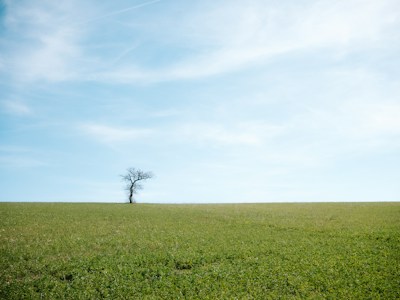
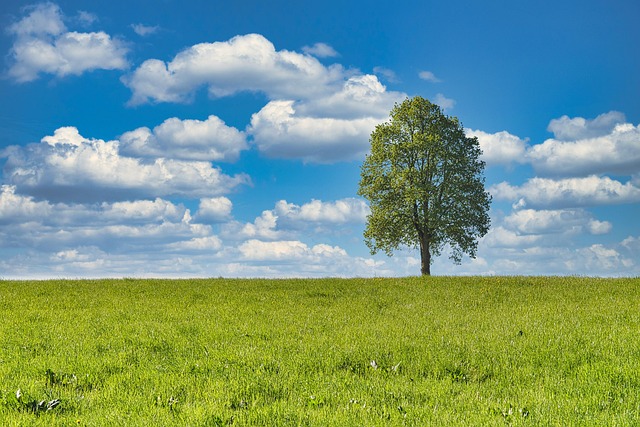
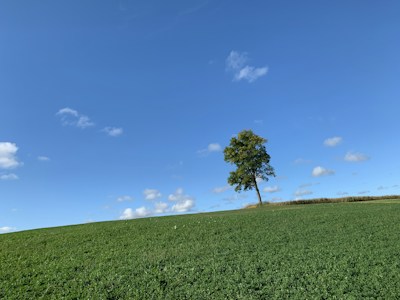
First: coverage you didn't ask for. Here is one real Pexafy request — one query, one ranked list. Look at the source badges:


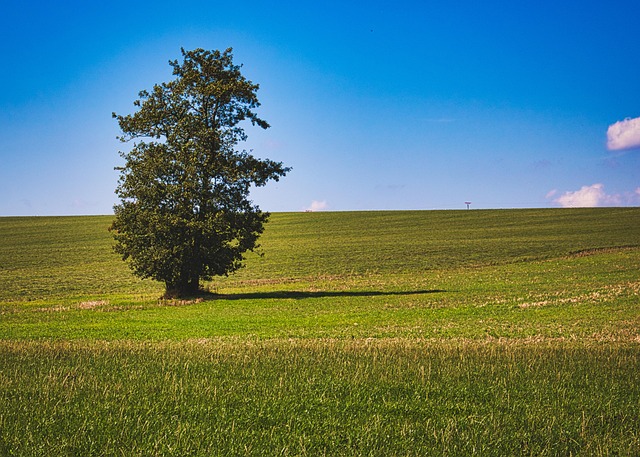
Second: the query stops being a keyword puzzle. With tag matching, every extra word is
one more thing the tags probably don't contain, so you learn to type tree field and scroll.
With semantic search the opposite holds — “a lone tree standing in an empty green field under a wide blue
sky” is a better query than “tree”, because every detail sharpens the match. Same effect for
moods (calm, nostalgic, minimal) and for languages: the sentence lands in the
same place whether you write it in English, French or Japanese, against the same single index.
We took that apart with real searches in
semantic image search vs keywords.
One schema instead of three
This is the part that costs the most engineering time and never appears in a comparison table. The same concept — “the medium-size image URL” and “who took it” — is named differently in every API:
// Unsplash
results[].urls.regular        results[].user.name
// Pexels
photos[].src.large            photos[].photographer
// Pixabay
hits[].webformatURL           hits[].user
Multiply that by dimensions, orientation, dominant colour, source page URL, licence and pagination, and you get an adapter per provider, a normalisation layer, a dedupe pass (the same photo is often on several libraries) and a re-ranking heuristic — typically a few hundred lines that must be kept in step with three changelogs. With Pexafy that layer is the product:
curl -H "X-Api-Key: $PEXAFY_KEY" \
  "https://api.pexafy.com/api/v1/search/photos?q=a+lone+tree+in+an+empty+green+field"

{
  "success": true,
  "data": [
    {
      "photo_id": "019e4cd9-6369-70c3-ab2b-0ffd7e7965ad",
      "urls": { "thumb": "…", "small": "…", "regular": "…", "large": "…", "full": "…" },
      "width": 5376, "height": 3584, "orientation": "landscape",
      "color_name": "xanadu", "color_hex": "#697E77",
      "photographer_full_name": "Viktor Hanacek",
      "photographer_url": "https://picjumbo.com/about-viktor-hanacek/",
      "source": "Picjumbo", "license_type": "free",
      "relevance_score": 0.80,
      "alt_description": "A single tree standing in a wide green field",
      "attribution": { "html": "Photo by …", "plain": "Photo by …" }
    }
  ],
  "meta": { "took_ms": 147 }
}
Identical fields for a Picjumbo photo, an Unsplash photo and a Pixabay photo. One relevance_score
comparable across every source, because they were ranked together rather than stitched. And an
attribution block you can render as-is.
Two things none of the others do
1 · Search by image, not just by words
Give Pexafy an image — a URL, or one you upload — and it returns visually and semantically similar photos across every indexed library. You can steer it with text at the same time (“like this photo, but at sunset”). It's how you build “more like this”, or how you find a free alternative to an image you can't license. None of Unsplash, Pexels, Pixabay or Openverse exposes an image-to-image endpoint.
2 · An MCP server, so AI agents can search images natively
Pexafy runs a hosted Model Context Protocol server at
mcp.pexafy.com/mcp with OAuth 2.1 — connect it to Claude, or to your own agent, and the model
searches 9 photo libraries by itself, sees the thumbnails inline, and hands
back credited images. Three tools: text search, search-by-image, and similar-photos. The other providers
have no official MCP server; what exists are community wrappers you host and key yourself.
If you are building an agent that needs pictures, that difference is the whole integration.
Which one should you actually use?
A comparison where one product wins every row is marketing, not information. Here is the honest split:
- Pixabay — you need high-volume, single-library access on a free tier and you can host the images yourself. 100 requests/minute is unmatched here.
- Unsplash — the visual identity of your product depends on Unsplash's editorial style specifically, and you're willing to go through app review and implement the tracking call.
- Pexels — you want one clean library with an instant key, a generous hourly rate, and no infrastructure obligations.
- Openverse — you need Creative Commons and public-domain material beyond the commercial stock libraries, including museum and institutional collections.
- Pexafy — you want breadth without integration work: one key, 9 libraries, one schema, meaning-based ranking, image-to-image search, and an MCP server for AI agents. Or you're an agency, a CMS, or an AI product where “find the right picture” is a feature, not a page.
You can also use both: a lot of teams keep a direct Unsplash integration for brand photography and use Pexafy for everything else, precisely because it costs one key and no approval to try.
References & footnotes
1 Unsplash's documentation states that demo applications are limited to 50 requests/hour and that the limit is raised after approval for production. The published production figure has been documented as 1,000 requests/hour on the API documentation page, while Unsplash help pages and third-party guides have long cited 5,000 requests/hour. Either way, it is gated behind a manual review — which is the point that matters when you plan a launch.
2 Attribution is not required by the Pexafy API terms, and every result carries a ready-made attribution string. The licence attached to each photo by its original library still governs your use of that photo — Pexafy is a search engine over other people's libraries, not the rights holder.
Documentation checked on 14 August 2026: Unsplash API docs · Pexels API docs · Pixabay API docs · Openverse API docs · Pexafy API docs. Pexafy figures reflect the published plans on the same date.
Frequently asked questions
Which free stock photo API has the best free tier?
Do I need approval to use the Unsplash API in production?
Is attribution required when using these APIs?
What is the best Unsplash API alternative?
Can I search stock photos with a full sentence through an API?
Can an AI agent search stock photos directly?
mcp.pexafy.com/mcp, secured with OAuth 2.1. Connect it to Claude or your own agent and the model searches every indexed library itself — by text or by image — and returns credited photos. Unsplash, Pexels, Pixabay and Openverse have no official MCP server; only community-maintained wrappers you host yourself.