Pexels Has Paused New API Keys. Here’s What to Use Instead
“New API key issuance is currently paused.” What Pexels changed and when, the projects already rewriting around it, and the five-minute switch to one key that searches Pexels, Unsplash, Pixabay and more.
 Marouane Tijani
10 min read

You open the Pexels API page to get a key, and the page answers before you can ask: “New API key issuance is currently paused.” No form to fill in, no waiting list to join, no date to plan around. For an API that countless tutorials present as a free key you get in thirty seconds, that one sentence closes the front door on every new project, every new teammate and every AI agent that was about to be wired to it.
This article pins down what Pexels changed and when, from primary sources; shows who is already affected, with the public pull requests to prove it; and makes the case for where to land — with a migration you can copy in five minutes. In a hurry? Jump straight to the switch.
What Pexels changed, and when
We found no announcement post. The notices simply appeared at the top of pages that already existed. Read side by side, they say this:
| Page | What it says now | Text last changed |
|---|---|---|
pexels.com/api |
“New API key issuance is currently paused.” | Between 28 Sept and 4 Oct 20261 |
| Help center · How do I get an API key? | “New API key issuance is currently paused.” — right above the old instructions, which still end with “You'll receive your API key immediately.” | 30 Sept 2026, 19:14 UTC2 |
| Help center · How do I get unlimited requests? | “API rate limit increases are currently paused.” Default limits: 200 requests/hour and 20,000/month. | 30 Sept 2026, 19:15 UTC |
| Help center · Do I have to pay for higher limits? | “API rate limit increases are currently paused.” | 30 Sept 2026, 19:13 UTC |
| Help center · How do I change my API key? | “API keys can't be changed by you” — to request a new key or cancel the old one, you email [email protected]. |
30 Sept 2026, 19:04 UTC |
| API documentation | Still says anyone with an account can request a key “which you will receive instantly”. | Not updated |
Read on 14 October 2026. How each date was established is in the footnotes.
The timestamps line up. All four help-center articles were edited between 19:04 and 19:15 UTC on 30 September; the notice is missing from the Wayback Machine's capture of the API page on 28 September and present in the one from 4 October; and the first public GitHub issue quoting it was opened on 1 October. Pexels has given no reason and no timeline, and two weeks later the notices are still up. Only the API documentation hasn't caught up: it still describes a key you “will receive instantly” — precisely what a new user can no longer get.
Who this breaks
Four groups feel it first:
-
Everyone starting something new. The side project, the hackathon entry, the course
exercise, the MVP. Every Pexels tutorial written before October begins with the one step that no
longer works — and so does the setup of every open-source tool that asks for a
PEXELS_API_KEY. On 1 October, someone trying to run an open-source YouTube automation project opened an issue whose title is just the wall they hit: “Request API Access New API key issuance is currently paused. in Pexels”. - Teams that needed one more key. Pexels assigns one key per account, and you can't change it yourself. A new client, a separate key for production, a teammate's sandbox: each one used to mean a new account and a new key. That path is closed.
- Products that are growing. With increases paused, a key is capped at 200 requests an hour and 20,000 a month. At 1,000 searches a day, the month runs out on day 20 — and right now there is no form that buys you more.
- Automations and AI agents. Short-video generators, auto-blogging pipelines and agents that “add a stock photo” call a photo API on every run. Several of the projects below are exactly that: tools whose whole pipeline stalls when the photo step can't get a key.
Two weeks of rewrites, in public
We searched GitHub's public issues and pull requests for the notice and its paraphrases. Between 1 and 13 October, 15 of them cite the Pexels pause as the reason for a change3. What they did instead is instructive:
| What the project did | Count | In their words |
|---|---|---|
| Brought in Pixabay | 9 | “Swap meal-photo lookup from Pexels to Pixabay — Pexels has paused new API keys” |
| Moved to Wikimedia Commons | 1 | “Pexels was the original plan, but Pexels has paused new API keys.” |
| Parked it, or documented the gap | 5 | “PEXELS_KEY waits until they reopen” |
Pixabay is the obvious reflex: its key shows up as soon as you log in, and it allows 100 requests a minute — 6,000 an hour. But a key swap is never just a key swap. Pixabay's API terms forbid permanent hotlinking — “please download them to your server first” — and require API responses to be cached for 24 hours, so the pull requests that switch end up adding storage, a cache and a re-hosting step. One of them says it plainly: “Pixabay photos are downloaded and re-hosted.” Every one of these swaps also trades one catalogue for another — a different set of photographers, a different look, and none of the search results the product was designed around. (One project took another route and added Pexafy next to Pixabay in its provider chain.)
None of this is new. When Unsplash switched off source.unsplash.com in 2024, the fixes
were still landing two years later — we measured that in our
source.unsplash.com
post-mortem. Free photo APIs change their terms on their own schedule. The useful question isn't
which single library to bet on next; it's how much of your product should depend on any one of them.
Your options today
| Option | Key today? | Free tier | Pexels photos? | What it asks of you |
|---|---|---|---|---|
| Wait for Pexels | No paused, no date | — | Yes, eventually | A roadmap that depends on a date nobody has published |
| Pixabay API | Yes, after login | 6,000 requests/hour | No | Download and re-host images, cache responses for 24 h, show users where images come from |
| Unsplash API | Yes, in demo mode | 50 requests/hour in demo mode, 1,000 after approval | No | Follow its API guidelines (hotlinking, attribution, download reporting) |
| Openverse | Not required | Anonymous, throttled | No | Creative Commons licences, each with its own attribution terms |
| Pexafy | Yes at sign-up, no card | 5,000 requests/month, up to 1,200/hour | Yes with Unsplash, Pixabay and more | One key; each photo keeps its source licence |
Rates converted to requests per hour (Pixabay documents 100 per minute). Pixabay and Unsplash rules read from their API documentation on 14 October 2026; Openverse as checked on 11 October. For quotas converted to the same unit and the full ten-criteria table, see our free stock photo API comparison.
Why Pexafy is the switch to make
Every other row in that table replaces one library with another library. Pexafy replaces the integration. Here is what that means in practice:
- Your key works today. Sign up with Google, GitHub or an email address, create a key in the dashboard, and your first request goes through.
-
You keep the Pexels catalogue — and gain the others. Pexafy indexes millions of
Pexels photos next to Unsplash, Pixabay and the rest of its 9 libraries,
in a single index. One query returns the best matches wherever they come from, deduplicated, each
with its source, its photographer and a link to its original page. Need one library only? The
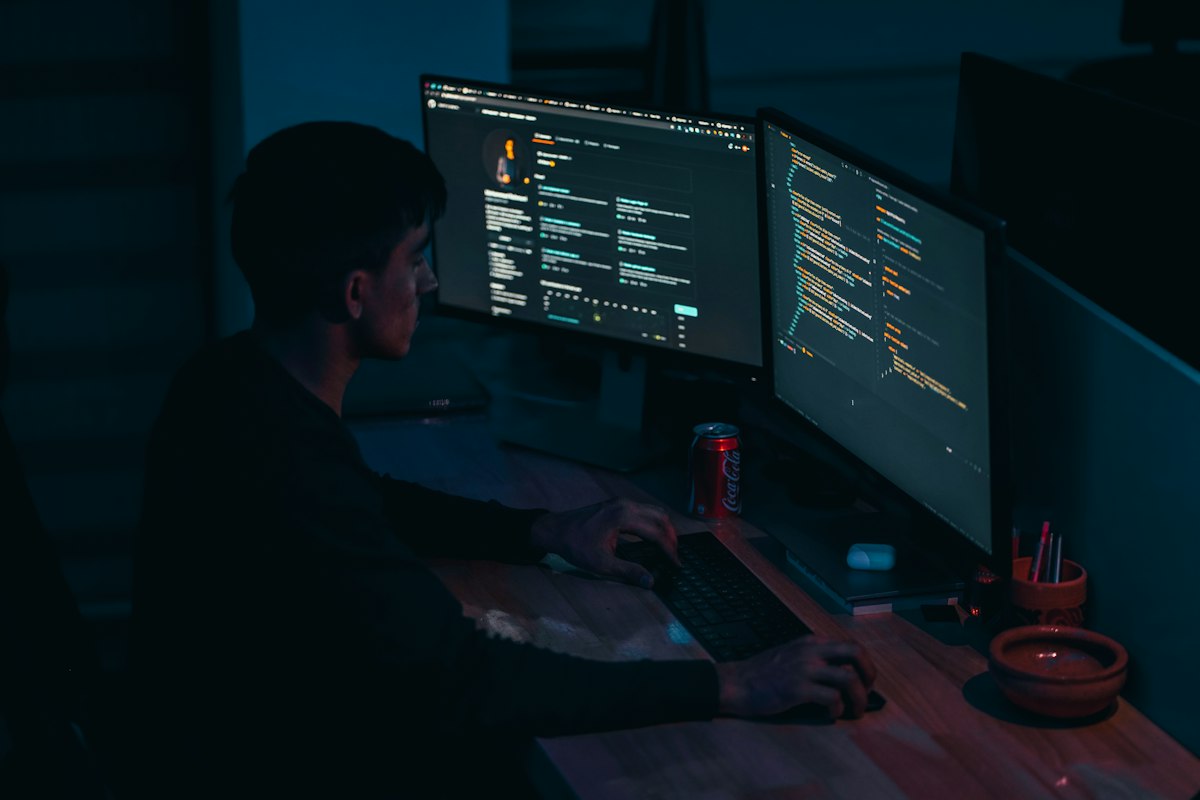
sourceparameter filters by provider. - Results that understand the request. Keyword APIs match your words against tags, so every extra word leaves fewer results. Pexafy ranks by meaning: describe the scene in a full sentence — up to 500 characters, in any of 100+ languages — and the detail sharpens the results instead of emptying them. The photo at the top of this page is the first result for exactly that kind of sentence: a stressed programmer with a hand on the forehead, staring at a laptop covered in php, git and node stickers. The mechanics are in semantic image search vs keywords.
-
One schema, whatever the library. Every result
carries a ready-made credit line (
attribution.htmlandattribution.plain), so crediting the photographer and the library is one line of code. - Room to grow, at a published price. The thing Pexels just paused — more requests — is a pricing table here, not an email. It's right below.
- Ready for AI agents. Search by image — send a photo, get look-alikes from every library — and a hosted MCP server that lets Claude, ChatGPT, Cursor, VS Code and other agents search and credit photos by themselves: the exact job several of the stranded projects above were doing. Setup for each client is on our MCP page, and the reasoning behind it in image search infrastructure for AI agents.
| Plan | Per month | Requests / month | Requests / hour |
|---|---|---|---|
| Pexels, default key increases paused | $0 | 20,000 | 200 |
| Pexafy Free | $0 | 5,000 | 1,200 |
| Pexafy Starter | $5 | 25,000 | 1,800 |
| Pexafy Pro | $19 | 250,000 | 3,600 |
| Pexafy Team | $59 | 1,000,000 | 12,000 |
| Pexafy Business | $99 | 2,000,000 | 18,000 |
| Pexafy Enterprise | $249 | 5,000,000 | 30,000 |
Pexafy rows are read live from our plan catalogue; yearly billing costs less — see pricing. Pexafy enforces its limits per minute, so the hourly figure is that limit over sixty minutes (Free: 20 a minute, up to 1,200 an hour). One Pexafy request searches every library at once.
One thing to know before you switch: the free plan is 5,000 requests a month, fewer than a default Pexels key — but each of those requests searches every library at once, and the Starter plan at $5 a month takes you to 25,000. And every photo keeps the licence of the library it comes from: Pexafy is an independent search engine and API over those libraries, not the rights holder, and it isn't affiliated with Pexels.
Switch in five minutes
1 · Get a key
Create a free account, then
create an API key in your dashboard. Put it in an
environment variable — PEXAFY_API_KEY — on your server, never in browser code.
2 · Change one request
# Before: Pexels
curl -H "Authorization: $PEXELS_API_KEY" \
  "https://api.pexels.com/v1/search?query=neon+sign&per_page=15"

# After: Pexafy — say what you want to see, in a sentence
curl -H "X-Api-Key: $PEXAFY_API_KEY" \
  "https://api.pexafy.com/api/v1/search/photos?q=a+developer+staring+at+a+laptop+in+frustration&per_page=15"
Then rename the fields you read. Everything you used has a direct equivalent:
| Pexels | Pexafy | Note |
|---|---|---|
Authorization: <key> | X-Api-Key: <key> | Header name only |
query | q | Up to 500 characters; full sentences work best |
orientation, color | orientation, color_name or color_hex | Same orientation values |
locale | — | Not needed: any language, one index |
page, next_page | cursor, pagination.next_cursor | Cursor pagination; per_page up to 100 |
photos[] | data[] | |
id | photo_id | A string, not an integer |
src.original · large2x · large · medium · small | urls.full · large · regular · small · thumb | Closest sizes, largest to smallest |
url | source_image_url | The photo's page on its library |
photographer, photographer_url | photographer_full_name, photographer_url | |
avg_color | color_hex | Plus a named color_name |
alt | alt_description | |
| — | source, license_type, attribution | New: where it comes from, its licence, a ready credit line |
3 · Or keep your Pexels-shaped code untouched
If your front end already reads photos[].src.large, leave it alone. Put this adapter on
your server: it calls Pexafy and returns the Pexels shape, plus the two fields Pexels never gave you.
const ENDPOINT = "https://api.pexafy.com/api/v1/search/photos";

export async function searchPhotos(query, { perPage = 15, cursor } = {}) {
  const url = new URL(ENDPOINT);
  url.searchParams.set("q", query);
  url.searchParams.set("per_page", String(perPage));
  if (cursor) url.searchParams.set("cursor", cursor);

  const res = await fetch(url, { headers: { "X-Api-Key": process.env.PEXAFY_API_KEY } });
  if (!res.ok) throw new Error(`Pexafy ${res.status}: ${await res.text()}`);
  const { data, pagination } = await res.json();

  return {
    per_page: perPage,
    next_cursor: pagination?.next_cursor ?? null, // replaces Pexels' next_page URL
    photos: data.map((p) => ({
      id: p.photo_id,
      width: p.width,
      height: p.height,
      url: p.source_image_url,
      photographer: p.photographer_full_name,
      photographer_url: p.photographer_url,
      avg_color: p.color_hex,
      alt: p.alt_description,
      src: {
        original: p.urls.full,
        large2x: p.urls.large,
        large: p.urls.regular,
        medium: p.urls.small,
        small: p.urls.thumb,
        tiny: p.urls.thumb,
      },
      source: p.source,           // "Pexels", "Unsplash", "Pixabay"…
      attribution: p.attribution, // { html, plain }: render it as-is
    })),
  };
}
Filters (orientation, colour, licence, source), search by image and every response field are in the API documentation.
Already have a Pexels key? Keep it — and add a safety net
-
Don't lose it. You can't create another one, and you can't rotate it yourself:
replacing or cancelling a key goes through
[email protected]. If yours has ever been committed to a repository or shipped in front-end code, treat that as urgent — a leaked key you can't rotate is a quota someone else can burn. -
Watch the ceiling. Pexels reports
X-Ratelimit-Limit,X-Ratelimit-RemainingandX-Ratelimit-Reseton successful responses, and answers429once you are over. With increases paused, that ceiling is the ceiling. - Add overflow. Keep Pexels as your first call and let Pexafy answer when Pexels says no. Or flip it: make Pexafy the primary — one call already covers Pexels and the other libraries — and keep the Pexels key as the backup.
import os, requests

def search(query, per_page=15):
    """Return [(image_url, credit_line)], from Pexels first, Pexafy past the limit."""
    r = requests.get(
        "https://api.pexels.com/v1/search",
        params={"query": query, "per_page": per_page},
        headers={"Authorization": os.environ["PEXELS_API_KEY"]},
        timeout=10,
    )
    if r.status_code != 429:  # anything but "over your limit": keep Pexels' answer
        r.raise_for_status()
        return [(p["src"]["large"], f"Photo by {p['photographer']} on Pexels")
                for p in r.json()["photos"]]

    r = requests.get(
        "https://api.pexafy.com/api/v1/search/photos",
        params={"q": query, "per_page": per_page},
        headers={"X-Api-Key": os.environ["PEXAFY_API_KEY"]},
        timeout=10,
    )
    r.raise_for_status()
    return [(p["urls"]["regular"], p["attribution"]["plain"]) for p in r.json()["data"]]
The pause will end one day, or it won't. Either way, the last two weeks teach the same lesson
source.unsplash.com taught in 2024: a photo feature that depends on a single library's
goodwill is a single point of failure. Pexafy turns it into one key over
9 libraries — Pexels included — with search that understands what you meant.
Get your free key and your first search runs in the next five
minutes.
References & footnotes
1 Wayback Machine captures of https://www.pexels.com/api/:
the capture of 28 September 2026, 17:42 UTC has no pause notice; the capture of
4 October 2026, 03:44 UTC contains the sentence “New API key issuance is currently
paused.” (three times in the page source). It is also in the capture of 9 October and on the
live page on 14 October.
2 Help-center dates come from the public Help Center API of
help.pexels.com (/api/v2/help_center/en-us/articles/<id>.json), field
edited_at — the last change to an article's text. How do I get an API key?
(900004904026): 2026-09-30 19:14:37 UTC; its metadata was touched again on 14 October
with the text unchanged. How do I get unlimited requests? (900005852323): 19:15:25;
Do I have to pay for higher limits? (900005851863): 19:13:48; How do I change my API
key? (47739416247833): 19:04:12, all on 30 September.
3 GitHub search API (issues and pull requests), 14 October 2026, for the notice and its paraphrases, created from 28 September. Each result was read; these 15 cite the pause as the reason for a change: youtube-agentic-ai-studio #3 · household-state-engine #469 · forkit #17 · ShortForge #167 · CPRNutrition #4 · themegrill-demo-importer #157 · Youtube_help #2 · ayah-studio #7 · creator-os #18 · Creator #2 · scorsese #900 · autorank #20 · meal-plan #8 · The-better-Jarvis #28 · cav #108. Nine brought in Pixabay (ShortForge alongside Pexafy), one moved to Wikimedia Commons, five parked the question or documented the gap. Public repositories only, so every figure is a floor.
Primary sources, read on 14 October 2026: Pexels API · Pexels API documentation · How do I get an API key? · How do I get unlimited requests? · Do I have to pay for higher limits? · How do I change my API key? · Pixabay API docs · Unsplash API docs · Openverse API · Pexafy API & MCP docs. Pexafy plans are read live from the pricing catalogue.
Frequently asked questions
Is Pexels still issuing new API keys?
Do existing Pexels API keys still work?
[email protected] — so keep it out of front-end code and public repositories.When will Pexels resume issuing API keys?
What is the best alternative to the Pexels API?
Can I still use Pexels photos without a Pexels API key?
How do I migrate from the Pexels API to Pexafy?
https://api.pexafy.com/api/v1/search/photos), the auth header (X-Api-Key instead of Authorization) and the field names — photos[] becomes data[], src.large becomes urls.regular, photographer becomes photographer_full_name. The article has a field-by-field table and a small adapter that returns Pexels-shaped results, so the rest of your code doesn’t change.